

Free IPTV Subscription: Why You Should Think Twice IPTV has become one of the most popular ways to stream live TV, sports, and entertainment. With so many providers out there, you may have come across free IPTV subscription offers that promise access to thousands of channels at no cost. Sounds tempting, right? But before you jump in, you should know the risks. Free IPTV may seem like a great deal, but it often comes with hidden dangers and poor-quality service. At TVHUB, we believe in offering a reliable, secure, and high-quality IPTV experience. Instead of risking your data or dealing with unstable service, you can try our premium IPTV subscription for just £12.99 per month and enjoy a hassle-free experience. Here’s why you should avoid free IPTV and opt for a trusted provider instead. 1.Free IPTV May Require Personal Information Many free IPTV providers ask for personal details like your email, phone number, or even payment information, even though they claim to be free. This is a red flag. Some of these providers sell your data to third parties, leading to unwanted spam, scams, or even identity theft. Others may require you to download suspicious apps or software, which can contain malware or spyware that tracks your activity. Once your information is compromised, there’s no way to undo the damage. With TVHUB, your privacy is a top priority. We only collect necessary details to set up your subscription securely, and you never have to worry about hidden risks. 2. Trial Scams: They Show You the Best, Then Sell You the Worst Some free IPTV providers offer a trial that seems perfect—smooth streams, no buffering, and high-quality channels. But once you pay for a subscription, the experience changes completely. Suddenly, you’re stuck with constant buffering, missing channels, and terrible customer support. This is a common trick: they put you on a premium server for the trial, then move you to a low-quality server once you’ve paid. Since most free IPTV services don’t have customer support, you’re left with a bad service and no way to fix it. At TVHUB, we don’t play games with your experience. What you see is what you get. Our IPTV subscription is stable, fast, and includes premium servers—the same ones you’ll use whether you’re on a trial or a long-term plan. 3. Free IPTV Subscription Are Unstable & Unreliable Even if you manage to find a free IPTV that works, the service is often unstable. Channels frequently stop working, streams buffer constantly, and some providers disappear overnight. Since there’s no official support, you’re left searching for another free provider every few weeks. This is especially frustrating when you’re watching live sports, TV shows, or major events. Imagine watching a crucial Premier League match, and suddenly, the stream crashes. That’s the reality of free IPTV. With TVHUB, you get a stable IPTV service with 24/7 availability, so you can watch your favorite channels without interruptions. 4. Why Choose TVHUB Instead? Instead of wasting time with unreliable and risky free IPTV services, you can get a premium IPTV experience for just £12.99 per month. Here’s what you get with TVHUB: ✅ No personal data risks – Your privacy is protected. ✅ High-quality, stable streams – No buffering or sudden shutdowns. ✅ Access to premium servers – The same great service every time. ✅ Reliable customer support – We’re here to help if you need assistance. For the price of a cup of coffee per week, you can enjoy a secure, high-quality IPTV service without the risks of free alternatives. Final Thoughts Free IPTV subscriptions may seem appealing, but the reality is far from perfect. Many providers compromise your privacy, scam you with fake trials, or offer low-quality streams that make watching TV frustrating. Instead of dealing with unreliable services, invest in a trusted IPTV provider like TVHUB. With just £12.99 per month, you get a high-quality IPTV experience with no risks.
Author: tvboxuk
Smart TVs (ALL)

Smart TVs (ALL) How to Set Up HOT IPTV or HOT Player on Your Smart TV If you’re looking for an easy way to enjoy IPTV streaming on your Smart TV, setting up HOT IPTV or HOT Player is simple. Just follow these steps, and you’ll be watching your favorite content in no time! Step 1: Install the App To begin, you need to install the HOT IPTV or HOT Player app on your Smart TV. Turn on your Smart TV and go to the App Store or App Search section. Search for HOT IPTV or HOT Player. Click Download and wait for the installation to complete. Step 2: Open the App Once the app is installed, launch it on your TV. Go to your TV’s Apps section. Select HOT IPTV or HOT Player and open the app. Step 3: Find Your MAC Address To activate your IPTV subscription, you need to find your MAC address inside the app. When you open HOT IPTV or HOT Player, a MAC address will appear on the screen. This is a unique identifier needed for activation. Write it down or take a picture for reference. Step 4: Send Us Your MAC Address To activate your access to HOT IPTV, simply send us your MAC address. Contact our support team and provide your MAC address. We will activate your IPTV subscription as soon as possible. Step 5: Start Streaming! Once activated, you’re all set to enjoy your IPTV subscription on your Smart TV. Explore a wide range of live channels, movies, and series at your convenience. If you have any questions or need assistance, feel free to reach out to our support team. Enjoy your HOT IPTV streaming experience!
Formuler Box
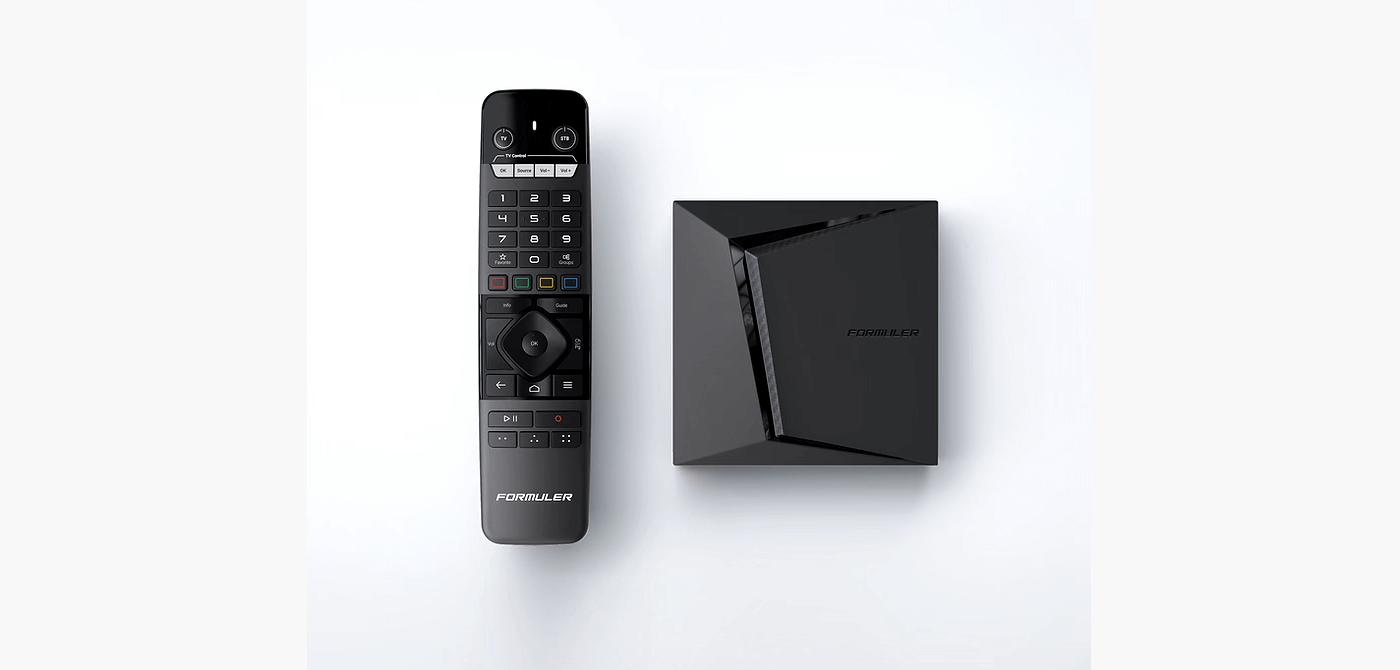
Formuler Box FormulerZ boxes are one of the best devices for watching IPTV.The most important advantage of FormulerZ boxes is supporting both MAC base Portal System and M3U base Playlist. FormulerZ8 is the last version of Formuler boxes with MYTV Online 2 application which support 4K Ultra HD streaming,In this tutorial, we are going to show you how to bring IPTV channels to your MYTV Online 2 on FormulerZ8. This setup guide can be used for all models of Formuler devices/boxes: STEP 1: Open the exclusive application for watching IPTV in Formuler boxes “MYTV Online 2”.If you don’t have this application on your device you can download it from the Google Play store. STEP 2: You can see the box’s MAC in the top right of this page.Please note, this MAC address must be given to your IPTV provider. Here you can see the two options, select “Add Portal” to set the device as a MAC based device like MAG boxes. STEP 3: Enter Portal Nickname (Example: MYIPTV).Enter IPTV Portal URL you get from your IPTV provider and click on “CONNECT”. You can ask for a portal URL from your IPTV service provider. STEP 4: Successful Connection! You receive all channels associated with your subscriptionPlease note, this might take a little time.
iPhones – iPADs

iPhones – iPADs How to Set Up HOT Player on Your iPhone or iPad for IPTV Streaming If you’re looking for a simple way to watch IPTV on your iPhone or iPad, setting up HOT Player is quick and easy. Follow these steps to start enjoying your IPTV subscription in minutes! Step 1: Install the HOT Player App Unlike Firestick, you can download HOT Player directly from the App Store. Open the App Store on your iPhone or iPad. In the search bar, type HOT Player or click the link below: Download HOT Player Tap Download, then wait for the installation to complete. Step 2: Get Your MAC Address To activate your IPTV subscription, you’ll need to retrieve your MAC address from the HOT Player app. Open the HOT Player app on your iPhone or iPad. Your MAC address will be displayed on the screen. Write it down or take a screenshot for reference. Step 3: Send Us Your MAC Address To activate your access to your IPTV subscription, simply share your MAC address with us. Send it to our support team. We’ll confirm the activation as soon as possible. Step 4: Start Watching IPTV! ✅ Once your MAC address is activated, you can enjoy unlimited IPTV streaming with HOT Player on your iPhone or iPad. If you have any questions or need assistance, feel free to contact our support team. Enjoy your IPTV subscription and happy streaming!
Firestick – Firebox – FireTV

Firestick – Firebox – FireTV How to Set Up HOT Player on Your Firestick: A Step-by-Step Guide If you’re looking for a seamless way to enjoy streaming on your Firestick, HOT Player is a great option. Setting it up is quick and easy. Just follow these simple steps, and you’ll be ready to stream in no time! Step 1: Install the Downloader App To get started, you’ll need to install the Downloader app on your Firestick. This app allows you to download third-party applications easily. Turn on your Firestick and go to the home screen. Navigate to the Find or Search option. Type in Downloader and select it from the search results. Click Download and wait for the installation to complete. Step 2: Enter the Download Link Now that you have the Downloader app installed, it’s time to get HOT Player. Open the Downloader app. In the URL field, type the following download link: https://apk.hotplayer.app/ Click Go, and the app will begin downloading. Once the download is complete, select Install to finish the process. Step 3: Get Your MAC Address After installing HOT Player, you’ll need to retrieve your MAC address to activate your account. Open the HOT Player app on your Firestick. Your MAC address will be displayed on the screen. Write it down or take a picture for reference. Step 4: Send Us Your MAC Address To activate your access, you’ll need to share your MAC address with us. Send your MAC address to our support team. Once we confirm activation, you’ll be ready to stream. That’s It! Start Streaming ✅ Once your MAC address is activated, you can start enjoying your favorite content through HOT Player on your Firestick. If you have any issues during setup, feel free to reach out for assistance Enjoy Your IPTV Subscription Starting from £12.99 Get a 1-month IPTV subscription and experience premium streaming risk-free with no commitment! Pick a Plan
Windows PCs

Windows PCs Step 1 : For Windows: https://www.iptvsmarters.com/download?download=windows_app And Install the Application IPTV Smarters Pro For Mac: https://www.iptvsmarters.com/download/?download=mac And Install the Application IPTV Smarters Pro Step 2 : Login to the application with your subscription details ( Get details from your service provider) Great! You now have the IPTV Smarters app When you run the IPTV Smarters app for the first time, Terms of Use will be the first window. Scroll down and click Accept. You can add IPTV channels to IPTV Smarters in two ways: Setup via Xtream Codes API. Setup via Playlist. Setup IPTV Smarters via Xtream Codes API We recommend setup via Xtream Codes API because you will have the Catchup feature this way and also do not need to add any EPG URL (it will load automatically). STEP 1: Open the app once downloaded and click on “Add user” then click on “Login with Xtream Codes API“. STEP 2: In this step, in the first box, select any name you want. On the second and third boxes, enter the “Username” and the “Password” and the server URL that we sent you via WhatsApp. Now Click on “ADD USER” to proceed to the next section. STEP 3: Wait some seconds. STEP 4: Now click on the “Live TV” icon as depicted in the image via a red arrow. Setup IPTV Smarters via Playlist If you don’t have an Xtream Code API, you can use an M3U URL and choose to Load Your Playlist or File URL. STEP 1: Open the app once downloaded and click on “Add user” then click on “Login with Playlist“. STEP 2: In this step, in the first box, select any name you want for example “IPTV Playlist”.Select “M3U URL” and enter the M3U URL that we sent you via WhatsApp. STEP 4: Now click on the “Live TV” icon, select channels group then the channel you want to watch.
Android (Phones,Boxes,TVs)

Android (Phones,Boxes,TVs) Step 1 : For Andriod: https://www.iptvsmarters.com/smarters.apk And Install the Application IPTV Smarters Pro Great! You now have the IPTV Smarters app Step 2: Open the app once downloaded and Enter the login details. You can add IPTV channels to IPTV Smarters in two ways: Setup via Xtream Codes API. Setup via Playlist. Setup IPTV Smarters via Xtream Codes API We recommend setup via Xtream Codes API because you will have the Catchup feature this way and also do not need to add any EPG URL (it will load automatically). STEP 1: Open the app once downloaded and click on “Add user” then click on “Login with Xtream Codes API“. STEP 2: In this step, in the first box, select any name you want. On the second and third boxes, enter the “Username” and the “Password” and the server URL that we sent you via WhatsApp. Now Click on “ADD USER” to proceed to the next section. STEP 3: Wait some seconds. STEP 4: Now click on the “Live TV” icon as depicted in the image via a red arrow. Setup IPTV Smarters via Playlist If you don’t have an Xtream Code API, you can use an M3U URL and choose to Load Your Playlist or File URL. STEP 1: Open the app once downloaded and click on “Add user” then click on “Login with Playlist“. STEP 2: In this step, in the first box, select any name you want for example “IPTV Playlist”.Select “M3U URL” and enter the M3U URL that we sent you via WhatsApp. STEP 4: Now click on the “Live TV” icon, select channels group then the channel you want to watch.
5 Best IPTV Players for a Superior Streaming Experience
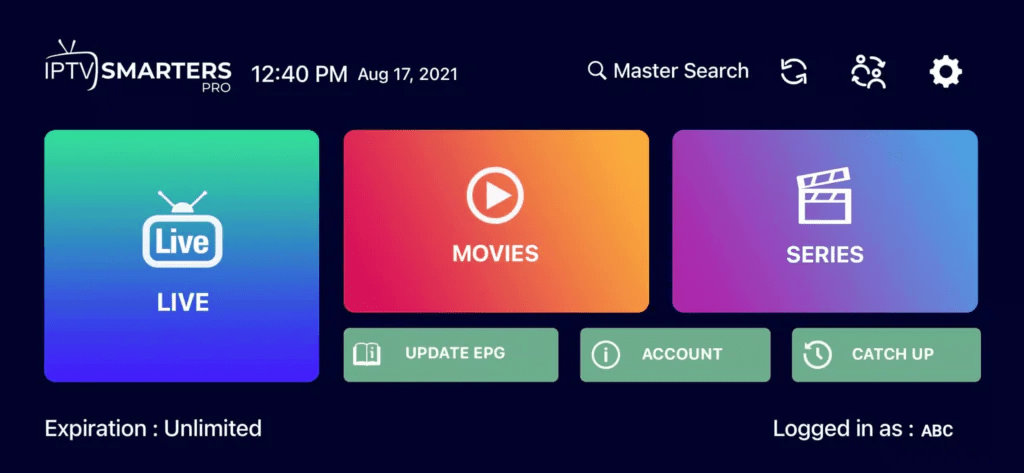
5 Best IPTV Players for a Superior Streaming Experience The Best IPTV Players for a Superior Streaming Experience IPTV (Internet Protocol Television) has revolutionized the way we watch television by allowing users to stream content directly over the internet. Whether you’re cutting the cord or just looking for more flexibility in your viewing options, IPTV offers a convenient and cost-effective solution. But to fully enjoy IPTV services, you need the right IPTV player that is compatible with your devices and offers the features you need. In this guide, we’ll explore some of the best IPTV players available today, helping you choose the perfect one to enhance your streaming experience. What is IPTV and Why Do You Need an IPTV Player? IPTV delivers television content over the internet instead of traditional cable or satellite services. This method allows users to stream live TV, movies, sports, and more directly to their devices. To access IPTV services, you’ll need an IPTV player, which is a software application that allows you to play and manage the IPTV streams. These players support various formats, including M3U playlists, EPGs (Electronic Program Guides), and more, giving you full control over your viewing experience. Top IPTV Players for All Your Streaming Needs Here’s a look at some of the top IPTV players available today: TiviMate Platform: Android Features: TiviMate is one of the most popular IPTV players on the market, known for its sleek and intuitive interface. It allows users to manage multiple playlists, view EPGs, and even offers catch-up TV. TiviMate is particularly well-suited for Android TV devices, offering a familiar and easy-to-navigate interface. IPTV Smarters Pro Platform: Android, iOS, Windows, macOS Features: IPTV Smarters Pro is a versatile player that supports multiple devices and platforms. It offers a range of features, including EPG support, parental controls, and multi-screen capabilities. This player is an excellent choice for users who want a comprehensive IPTV experience across various devices. GSE Smart IPTV Platform: Android, iOS, macOS Features: GSE Smart IPTV is a popular choice for those looking for a cross-platform IPTV player. It supports a wide variety of formats and offers features like EPG support, parental control, and Chromecast integration. GSE Smart IPTV is perfect for users who want flexibility in their streaming options. Kodi Platform: Android, iOS, Windows, macOS, Linux, Fire TV Features: Kodi is an open-source media player that has gained immense popularity due to its versatility. With the right add-ons, Kodi can be transformed into a powerful IPTV player, allowing users to stream live TV, movies, and more. Kodi’s extensive customization options make it a favorite among tech-savvy users. How to Choose the Right IPTV Player When choosing an IPTV player, there are several factors to consider: Device Compatibility: Ensure that the IPTV player you choose is compatible with your device. Most players support Android, but if you’re using iOS, Windows, or macOS, you’ll need to check for compatibility. User Interface: A good IPTV player should have an intuitive and easy-to-use interface. Look for players that offer features like EPGs, multiple playlist support, and customizable layouts. Feature Set: Consider what features are important to you, such as parental controls, multi-screen support, or catch-up TV. Some IPTV players offer more advanced features than others, so choose one that fits your needs. Streaming Quality: The quality of your IPTV streaming will depend on the player and your internet connection. Look for players that support 4K streaming if you have a high-speed connection and a compatible device. Conclusion Finding the right IPTV player is crucial to getting the most out of your IPTV subscription. Whether you’re looking for something simple and straightforward or a player with advanced features, there’s an option out there for everyone. Consider your specific needs and preferences, and choose an IPTV player that will provide you with the best streaming experience possible. With the right player, you can enjoy all the benefits of IPTV, from live TV and movies to sports and on-demand content, all delivered straight to your device with ease and convenience.
Why Choose IPTV Smarters?
Why Choose IPTV Smarters? Why Choose IPTV Smarters for Your Streaming Experience? In the rapidly evolving world of digital entertainment, IPTV Smarters has emerged as a powerful tool for those seeking a seamless and customizable streaming experience. With its robust features and user-friendly interface, IPTV Smarters is designed to elevate your viewing experience, whether you’re a casual viewer or a streaming enthusiast. What is IPTV Smarters? IPTV Smarters is a versatile app that enables users to watch IPTV content on various devices. It’s a complete solution for streaming live TV, VOD (Video on Demand), series, and TV catchup, all in one place. The app supports a wide range of devices, including Android, iOS, Smart TVs, and even desktop platforms, making it accessible to everyone. Key Features of IPTV Smarters Multi-Screen Support: IPTV Smarters allows users to watch multiple streams simultaneously, making it ideal for families or those who like to keep up with different shows or sports events at the same time. Electronic Program Guide (EPG): The app features an easy-to-navigate EPG that offers a detailed schedule of what’s currently playing and what’s coming up, ensuring you never miss your favorite shows. VOD and Catchup TV: With IPTV Smarters, you have access to Video on Demand content and the ability to catch up on missed shows, giving you complete control over what and when you watch. Parental Controls: For those concerned about content, IPTV Smarters includes robust parental control features, allowing you to manage what younger viewers can access. External Player Integration: The app supports integration with external players like VLC or MX Player, offering flexibility for users who prefer specific playback experiences. Customizable Interface: One of the standout features of IPTV Smarters is its customizable interface. Users can tailor the look and feel of the app to match their preferences, making the experience truly personal. Multiple Language Support: IPTV Smarters caters to a global audience with its multi-language support, making it easy for users from different regions to navigate and enjoy the app. Why IPTV Smarters Stands Out Unlike other apps that focus solely on content delivery, IPTV Smarters is designed with the user in mind. Its multi-screen support, customizable interface, and robust parental controls make it a top choice for those who want more than just a basic streaming app. It’s about providing an experience that adapts to your needs, whether you’re watching alone or with family. Who Should Use IPTV Smarters? If you’re someone who values a seamless, flexible, and customizable viewing experience, IPTV Smarters is the perfect app for you. It’s especially beneficial for those who have diverse viewing habits and require a tool that can cater to multiple preferences simultaneously. Final Thoughts IPTV Smarters is more than just a streaming app; it’s a comprehensive tool designed to enhance your digital entertainment experience. With its rich feature set, compatibility with various devices, and user-focused design, it stands out as a must-have for anyone serious about streaming.
Why Choose IPTV Smarters? Unlock Premium Streaming with TVHUB
Why Choose IPTV Smarters? Unlock Premium Streaming with TVHUB In today’s world, how we consume entertainment is changing fast. Gone are the days when we were tied to cable subscriptions and rigid TV schedules. Now, with IPTV services, you can watch what you want, when you want, right on your preferred device. If you’re looking for a top-notch app to make this happen, IPTV Smarters is a fantastic choice. And when you pair it with a premium IPTV provider like TVHUB , you’re in for an unmatched streaming experience that will keep you coming back for more. What is IPTV Smarters? IPTV Smarters is an application designed to offer a seamless experience for streaming live TV, VOD (Video On Demand), series, and more from your IPTV provider. Available on various platforms, including Android, iOS, Smart TVs, and PCs, IPTV Smarters is incredibly versatile and easy to use. Key Features of IPTV Smarters: Multi-Screen Support: Watch different content on multiple screens simultaneously, perfect for family members who have different tastes. EPG (Electronic Program Guide): Stay up-to-date with your favorite shows with an integrated program guide that lets you see what’s on and plan your viewing. Catch-Up TV: Missed a show? IPTV Smarters offers catch-up TV, so you can watch programs that were aired within the last few days. External Player Integration: Prefer using VLC or MX Player? IPTV Smarters lets you integrate external players for a customized viewing experience. Parental Controls: Manage what your kids can watch with built-in parental control settings. Why Choose TVHUB with IPTV Smarters? While IPTV Smarters offers the tools you need for a smooth streaming experience, the quality of content you access depends on your IPTV provider. This is where TVHUB comes into play. TVHUB is a premium IPTV provider offering a wide range of channels, including live TV, sports, movies, and series. By combining TVHUB with IPTV Smarters, you get a top-tier entertainment experience that’s second to none. Benefits of TVHUB: Vast Channel Selection: Access thousands of channels from around the globe, including HD and 4K streams for the ultimate viewing quality. Reliable Service: Enjoy a stable, lag-free experience thanks to TVHUB LAB’s high-performance servers and minimal downtime. 24/7 Customer Support: Have a question or issue? TVHUB dedicated customer service is available around the clock to assist you. Affordable Packages: Get access to premium content without breaking the bank. TVHUB offers various subscription plans to fit your needs and budget. Regular Updates: Stay on top of the latest content with continuous updates to the channel list and VOD library. How to Set Up IPTV Smarters with TVHUB Getting started with IPTV Smarters and TVHUB is quick and easy: Download IPTV Smarters: Install the app on your preferred device from the App Store, Google Play, or directly from their website. Sign Up with TVHUB: Choose a subscription package on the TVHUB website and receive your M3U link or login credentials. Configure IPTV Smarters: Open the app and enter the credentials provided by TVHUB to load your channels, VOD, and EPG. Start Streaming: Enjoy endless entertainment at your fingertips! Final Thoughts Combining IPTV Smarters with TVHUB delivers a powerful, user-friendly, and versatile streaming experience that caters to all your entertainment needs. Whether you’re a movie buff, a sports fanatic, or just looking to keep up with your favorite TV shows, this dynamic duo ensures you have access to high-quality content whenever you want. Make the switch today and discover why so many users trust IPTV Smarters and TVHUB for their streaming needs. Start your ultimate streaming experience now with TVHUB—where entertainment meets excellence.